> For the complete documentation index, see [llms.txt](https://medomicslab.gitbook.io/medomics-docs/llms.txt). Markdown versions of documentation pages are available by appending `.md` to page URLs; this page is available as [Markdown](https://medomicslab.gitbook.io/medomics-docs/medomicslab-docs-v0/test-with-mimic/step-3.md).
# Step 3: Prepare ML tables
Feb 12 – Feb 26 | Prepare ML tables
Step 3 - Prepare ML tables
{% hint style="info" %}
If you completed [*Step 2 - Extract Data*](/medomics-docs/medomicslab-docs-v0/test-with-mimic/step-2.md), you have data ready for *Step 3 - Prepare ML tables*.
However, before proceeding to *Step 3 - Prepare ML tables,* we recommend that you replace your own output data from [*Step 2 - Extract Data*](/medomics-docs/medomicslab-docs-v0/test-with-mimic/step-2.md) (the *extracted\_features* folder) with the data that we prepared for you (*MEDomicsLab\_TestingPhase\_Step3.zip*). This will ensure consistency of results across all participants of the Testing Phase.
An invitation to access the *MEDomicsLab\_TestingPhase\_Step3.zip* data was sent by email.
{% endhint %}
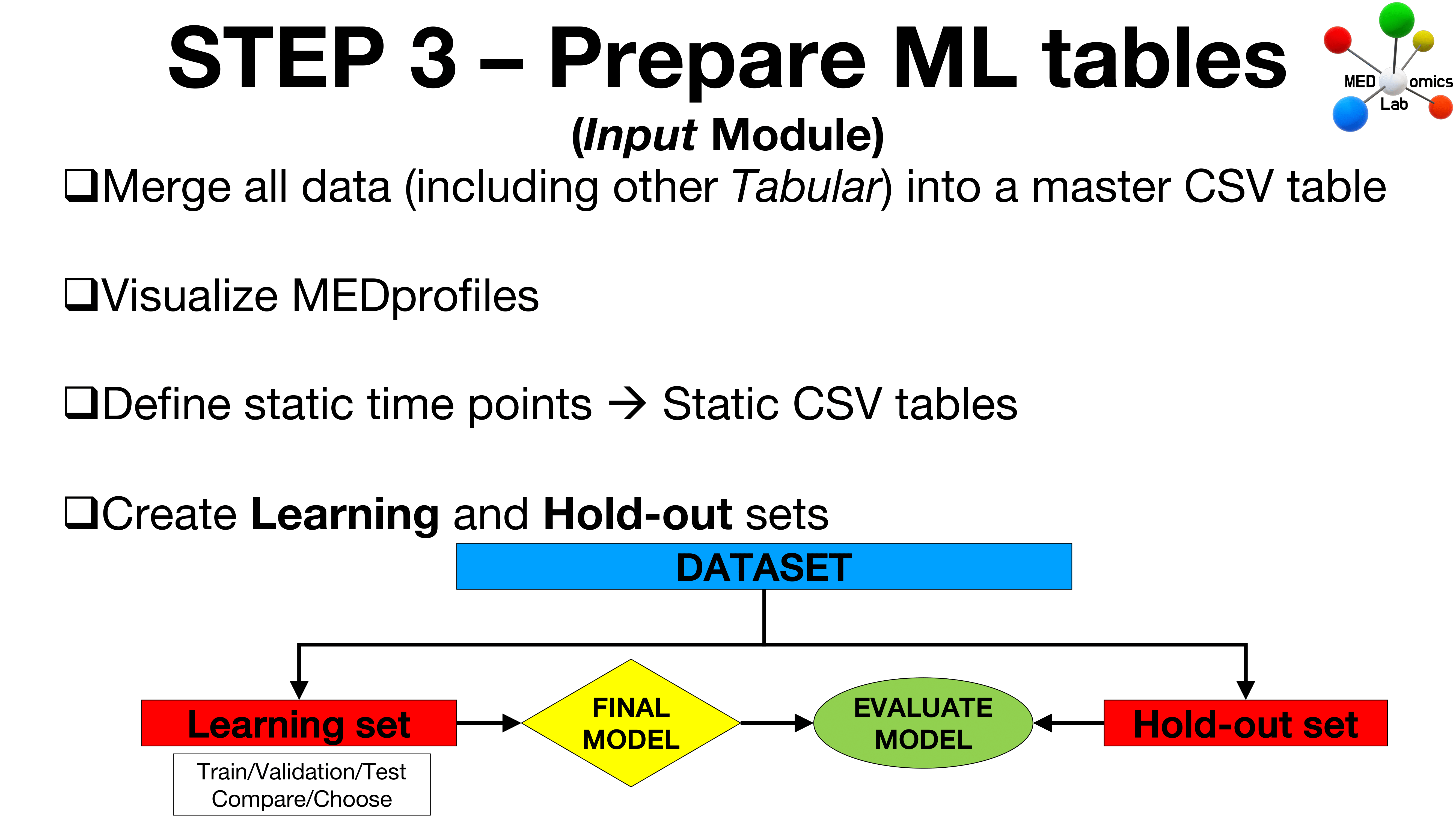
The current *Step 3 - Prepare ML tables* step is divided into five parts, and involves preparing Machine Learning tables using the extracted features from [*Step 2 - Extract Data*](/medomics-docs/medomicslab-docs-v0/test-with-mimic/step-2.md) of the Testing Phase as follows:
1. **Reduce Extracted Features:** Use the [*Input Module*](/medomics-docs/medomicslab-docs-v0/tutorials/design/input-module.md) to reduce the large CSV files obtained from the previous step via Principal Component Analysis (PCA) and Spearman correlation.
2. **Merge All Data:** Combine the reduced extracted features with demographic embeddings into a master CSV table using the [*MEDprofiles package*](/medomics-docs/medomicslab-docs-v0/tutorials/design/input-module/medprofiles.md). Additionally, create *MEDprofiles* with the master table.
3. **Visualize Data:** Use the *MEDprofiles* figure to visualize the data.
4. **Define Static Time Points:** Use the *MEDprofiles* figure to set static time points and export the data as static CSV tables.
5. **Create *****Learning***** and *****Holdout***** Sets:** Use the [*Input Module*](/medomics-docs/medomicslab-docs-v0/tutorials/design/input-module.md) to generate Learning and Holdout sets.
{% hint style="info" %}
The goal of defining static time points is to simulate a longitudinal CDSS (Clinical Decision Support System) scenario using data aggregated over time. In [*Step 5 - Create Model*](/medomics-docs/medomicslab-docs-v0/test-with-mimic/step-5.md) of the Testing Phase, we will attempt to identify the point in time where we reach sufficient predictive power (the point in time when, in real-life, we could potentially intervene).
{% endhint %}
## Recommendations
Before proceeding with *Step 3 - Prepare ML tables* of the MEDomicsLab Testing Phase, we recommend consulting the documentation of the [*Input Module*](/medomics-docs/medomicslab-docs-v0/tutorials/design/input-module.md).
{% content-ref url="/pages/KDc1OarSYfJCfoUkXiQ7" %}
[Input Module](/medomics-docs/medomicslab-docs-v0/tutorials/design/input-module.md)
{% endcontent-ref %}
## Instructions for Step 3 - Prepare ML tables
{% embed url="" %}
{% hint style="info" %}
**Reminder**: Make sure to save your datasets when updating column names by pressing the 'Save' button icon (an example is shown at 16:08 in the video above).
If you do not press the 'Save' button icon after modifying a CSV file in the app, the changes will not be applied in your workspace.
{% endhint %}
**Content**
Intro [0:00](https://www.youtube.com/watch?v=lVvszz01cDk\&t=0s)
Reduce extracted features [0:50](https://www.youtube.com/watch?v=lVvszz01cDk\&t=50s)
Merge all our data [8:24](https://www.youtube.com/watch?v=lVvszz01cDk\&t=504s)
Visualize *MEDprofiles* [10:52](https://www.youtube.com/watch?v=lVvszz01cDk\&t=652s)
Define static time points [12:01](https://www.youtube.com/watch?v=lVvszz01cDk\&t=721s)
Create learning and holdout sets [14:13](https://www.youtube.com/watch?v=lVvszz01cDk\&t=853s)
***
{% hint style="info" %}
We acknowledge that using Spearman correlation with the target variable to massively reduce the feature set dimension **on the whole dataset** is not part of best practices in machine learning.
This Spearman correlation process, if needed as a feature set reduction method, should normally be performed "on-the-fly" on the training sets of the *Learning set* (and ideally, the PCA process too).
Here, we decided to use Spearman correlation on the whole dataset during the *Reduce extracted features* process to get around some difficulties we have in handling large feature sets in downstream processes.
However, please note that we are actively working on enhancing the scalability of our application to eliminate the need of applying Spearman correlation on the whole dataset in the future.
{% endhint %}
---
# Agent Instructions
This documentation is published with GitBook. GitBook is the documentation platform designed so that both humans and AI agents can read, navigate, and reason over technical content effectively. Learn more at gitbook.com.
## Querying This Documentation
If you need additional information that is not directly available in this page, you can query the documentation dynamically by asking a question.
Perform an HTTP GET request on the current page URL with the `ask` query parameter, and the optional `goal` query parameter:
```
GET https://medomicslab.gitbook.io/medomics-docs/medomicslab-docs-v0/test-with-mimic/step-3.md?ask=&goal=
```
`ask` is the immediate question: it should be specific, self-contained, and written in natural language.
`goal` is optional and describes the broader end goal you are ultimately trying to accomplish on behalf of the user. GitBook uses it to tailor the answer towards what is most useful for that goal.
The response will contain a direct answer to the question and relevant excerpts and sources from the documentation.
Use this mechanism when the answer is not explicitly present in the current page, you need clarification or additional context, or you want to retrieve related documentation sections.